

Here you will find frequently asked questions answered in different categories around the topics at peaknetworks hosting.
Web hosting and cloud services are complex services, many questions may arise. FAQ is the abbreviation for "frequently asked questions".
Here you can find answers and suggested solutions to the most frequently asked questions about the various topics and areas.
The FAQ covers questions about domasin, invoices, hosting and email.
Clicking on a category will filter for this topic!
Yes, we also offer free Let's Encrypt certificates for external domains. To do this, simply store the following DNS record with your current provider:
_acme-challenge CNAME _acme-challenge.internet-servers.net..
As soon as this has been done, you can simply send us an email, or post a message via our support forum.
The free Let's Encrypt certificate is only valid for 3 months. However, this is renewed automatically by ours.
Paid certificates have a term of one year. If not canceled, this is also renewed automatically.
Let's Encrypt certificates are very short-lived, so we do not offer a download.
Paid certificates are sent to you automatically after Renew.
With our free Let's Encrypt certificates, all your subdomains are also protected.
You can easily activate your SSL certificate via our control panel. Simply click on Hosting in the menu, select your hosting, and then go to the "SSL" tab, where you can then activate your SSL certificate.
If your certificate does not show up, please contact our support.
Yes, we automatically renew our SSL certificates.
If you have an external domain, please do not delete the DNS record you added to the link.
We offer 2 different types of SSL certificates:
You can create a subdomain (e.g. test.my-domain.com) by adding a DNS record with the IP of your hosting in the control panel.
You can then connect this subdomain to your hosting. To do this, assign the new subdomain in the Domain Assignment section of your hosting.
Yes, as long as a domain has not been cancelled, it will continue to be renewed automatically.
Yes, the domain does not have to be registered with peaknetworks. If you want to connect the domain to your hosting, please enter the DNS entries. If you want to have a free SSL certificate with it, please click here
The domain will remain free of charge as long as the hosting is with peaknetworks, therefore there will be no costs for this domain in the following years.
To do this, you need to add an A record and a CNAME record at your domain. Here you can find the instructions from Wix.
Here you can find the names of the DNS servers:
dns1.peaknetworks.net
dns2.peaknetworks.net
Yes, you can also manage your DNS zone in the peaknetworks control panel. Simply click on the desired domain in the "Domains" tab. There you can view the zone and also change, add or delete the entries.
Yes, just check the box "I want to transfer the DNS zone to peaknetworks" when ordering the domain to be transferred.
A transfer is usually free of charge. However, some toplevels unfortunately have costs when transferring a domain.
You can find the list of domains and their transfer costs here.
Yes, we offer a free email migration service for IMAP accounts. Please just write us a message for this so that we can plan this together.
Yes, you do not have to transfer the DNS server to peaknetworks. However, please clarify this with your old provider so that they do not delete your DNS zone after a transfer.
You can request the transfer code from your previous provider. To do this, simply write them the following e-mail:
Dear Sir or Madam.
Please send me the transfer code for the domain "your-domain.com".
Sincerely yours
Bestellen Sie dazu einfach die Domain hier:
und klicken Sie auf «Transferieren». Sie können anschliessend optional Ihren Transfercode eingeben. Mehr Infos zum Transfercode finden Sie hier.
This depends on the toplevel of the domain (e.g. ".at", ".com", ...).
Toplevels like ".com", ".net", ".org" are active immediately.
".de" & ".ch" are reloaded every hour on the hour and are accessible for a few minutes afterwards.
".at" domains are reloaded at the following times:
This depends on the toplevel of the domain (e.g. ".at", ".com", ...).
Toplevels like ".com", ".net", ".org" are active immediately.
".de" & ".ch" are reloaded every hour on the hour and are accessible for a few minutes afterwards.
".at" domains are reloaded at the following times:
Some country specific domains require residency or registration. If you do not have this, we also offer a trustee service.
You can find the list of domains here.
Yes, a .DE domain can be registered with us even without a German address or residence. The address of a German trustee service is entered as address.
Yes, you can simply order a domain without selecting a hosting.
We offer SEPA Direct Debit for more than 80 countries worldwide. If you want to switch to SEPA Direct Debit, please download the form and fill in the IBAN and sign it. As soon as we receive it (as PDF or JPG scanned via e-mail) or by mail, we will automatically debit future payments from this IBAN account.
Download PDF SEPA Direct Debit Core Procedure Direct Debit Mandate
With Hosting Small, Medium or Large there are no installation, maintenance, processing costs or the like.
The domain will remain free of charge as long as the hosting is with peaknetworks, therefore there will be no costs for this domain in the following years.
The method of payment can be chosen when ordering.
The payment can be made by
be carried out. If you want to change the payment method, please inform us via the support form together with your customer number.
The invoice will be sent to you as a PDF via email. Since invoice runs are not done every day, this may take a few days.
We haven't forgotten about your invoice, it was probably just an invoice run and your invoice will be on the next run.
Send us the new billing address via the support form with your customer number.
The IBAN and bank details can be found at the bottom of the invoice. In the imprint the bank details with IBAN are also listed. There is a EURO and a Swiss Franc account available for bank transfers.
No, transfer the total amount and write the invoice numbers in the "reason for payment" field.
Log in to your hosting via FTP and go to the "/web" directory. If the ".htaccess" file does not exist yet, create it, otherwise edit it.
Add the following entry to your ".htaccess" file and add the name of your hosting at web0XXX:
AuthName "Password protected area".
AuthType Basic
AuthUserFile /storage/web/web0XXX/web/.htpasswd
Require valid-user
Then create the file .htpasswd in the same directory.
Create a user/password entry with an Online Generator and then add it to the ".htpasswd" file.
Yes of course, to do so please just send us an email to support.
To do this, simply create the directories via FTP. After that you can log into the control panel, click on Hosting in the menu, select your hosting and then add the following entry in the "Domain Assignments" tab.
"sub.domain.com" -> Directory: "/subdirectory"
To do this, it is best to use a so-called .htaccess file.
Simply create a file in the '/web' directory of your hosting with the name '.htacess' (if it doesn't already exist) and add the following text:
RewriteEngine On
RewriteCond %{HTTP_HOST} !^\. [NC]
RewriteRule ^(.*)$ http://www.%{HTTP_HOST}/$1 [R=301,L]
You can easily view the logfiles via FTP in the directory '/weblogs'. You will find all logs of the last month there
With Hosting Small, Medium or Large there are no installation, maintenance, processing costs or the like.
To do that, simply go to the control panel and click on the hosting you want in the hosting menu. In the "Databases" tab you will find all your databases. Via the button "phpMyAdmin" you will get to the administration interface of your database.


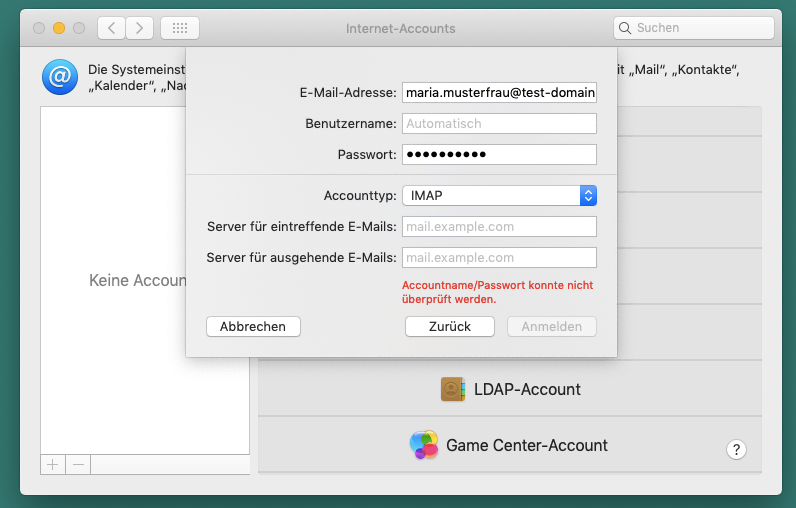
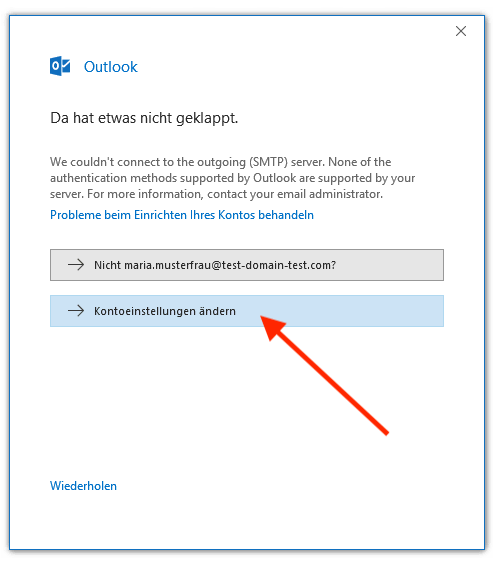
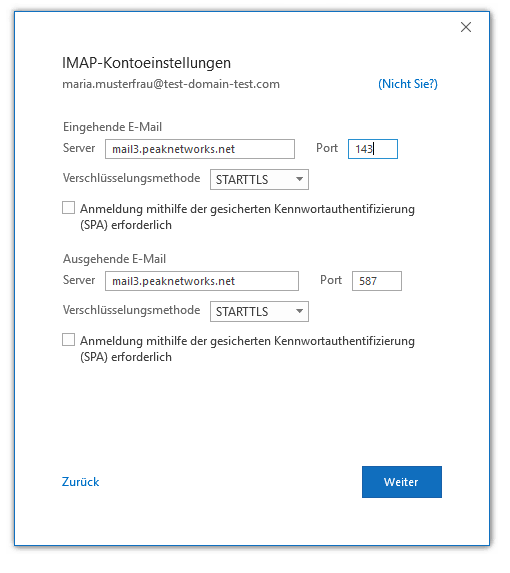
If the above configuration does not work or STARTTLS is not available for selection, you can also use the SSL configuration described below.
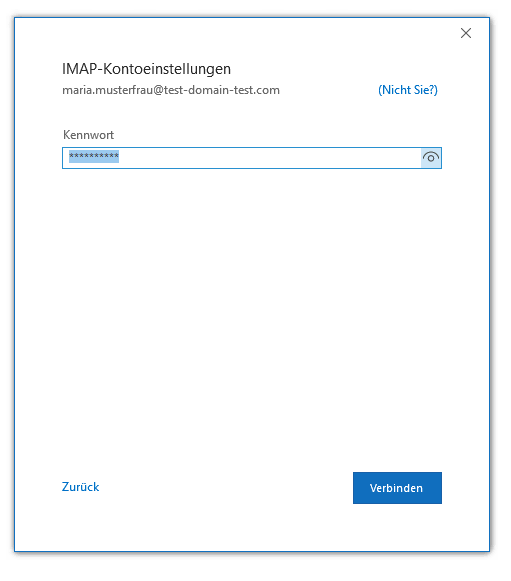
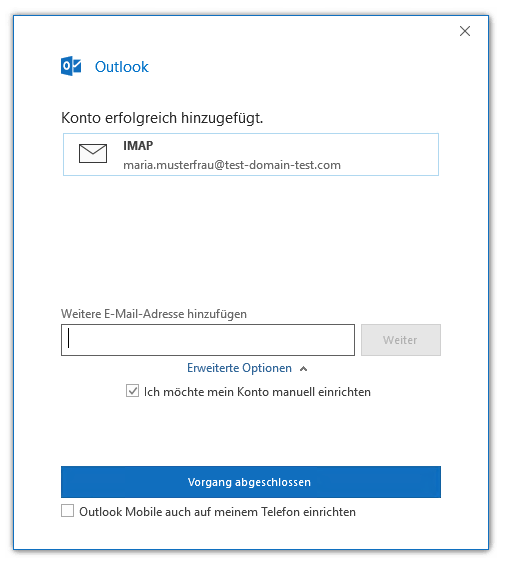
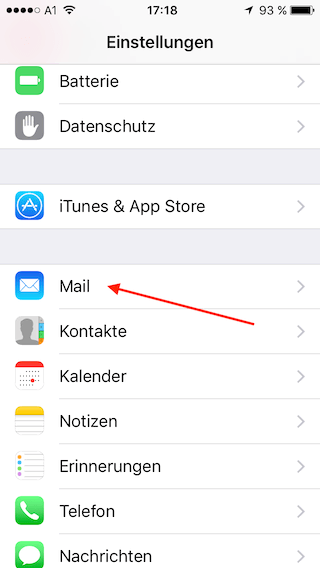
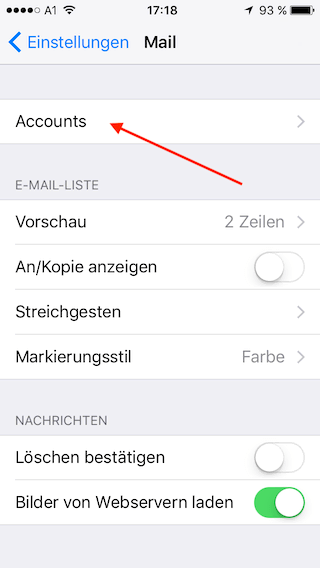
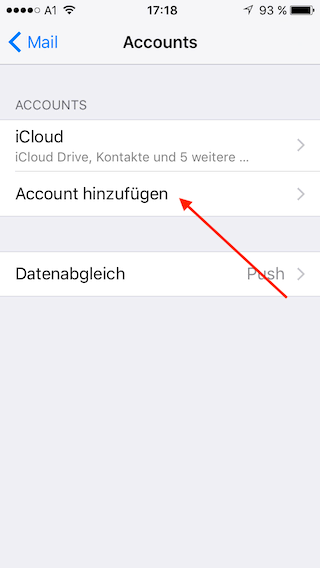
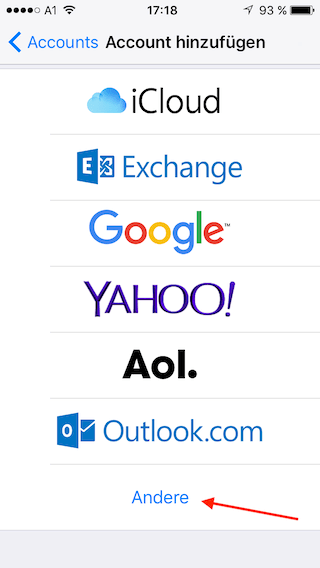
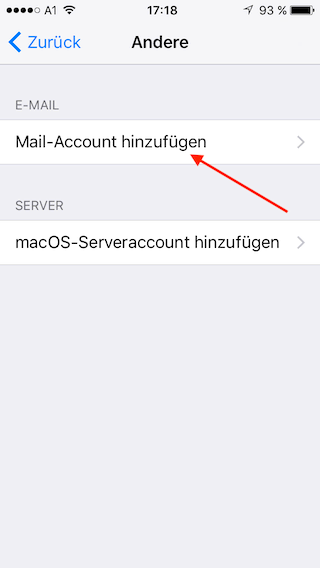
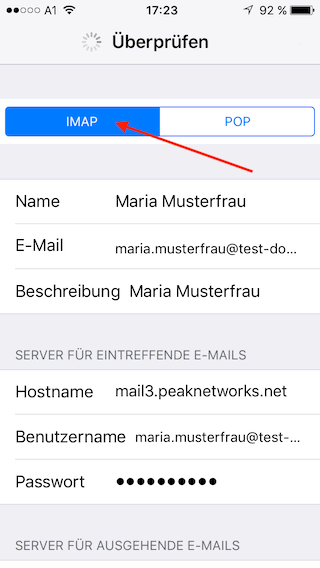
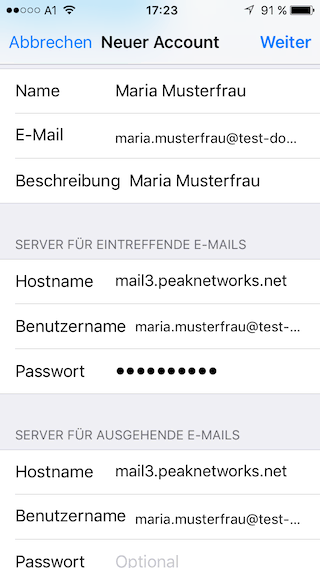
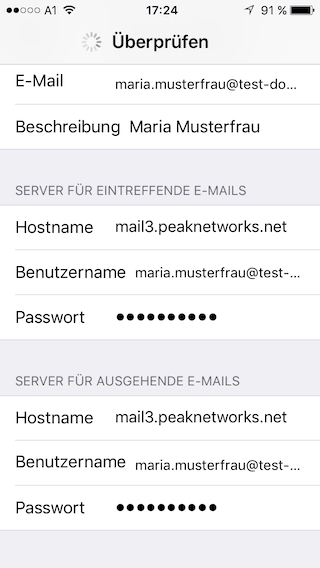
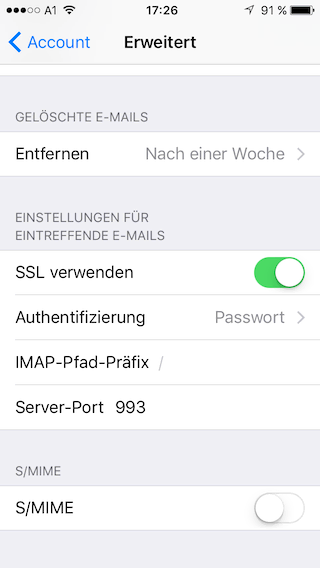
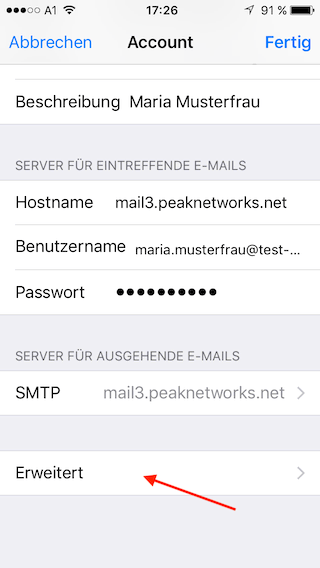
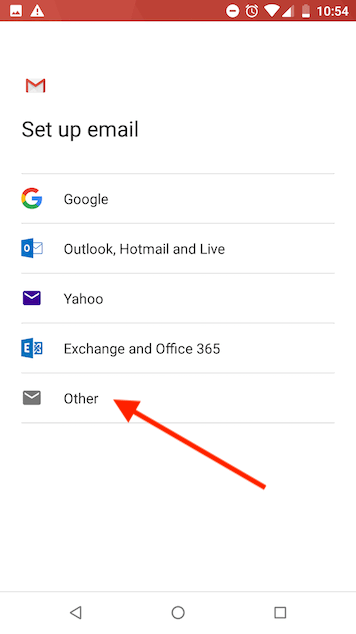
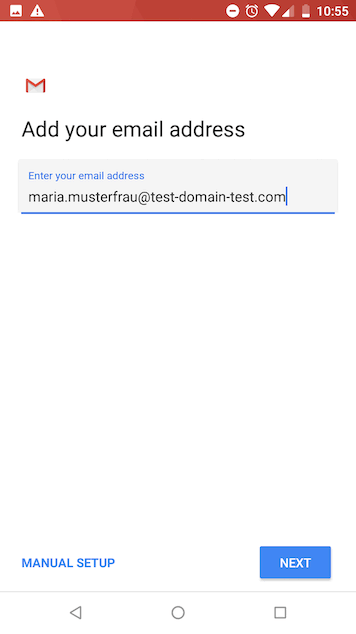
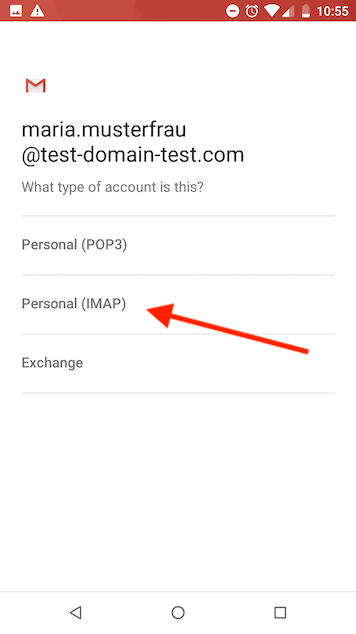
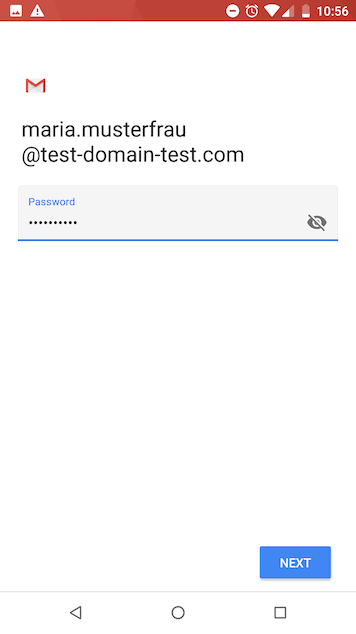
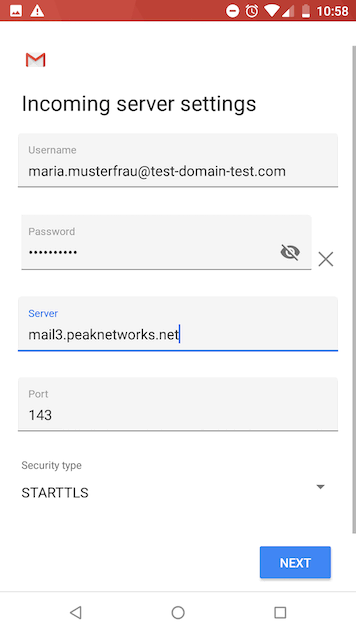
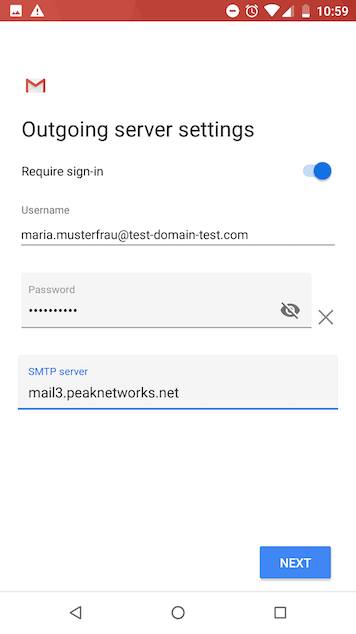
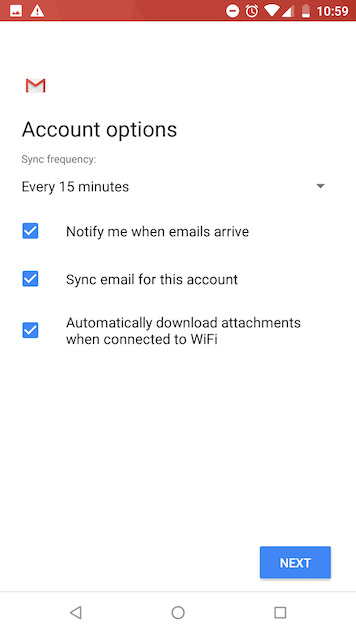
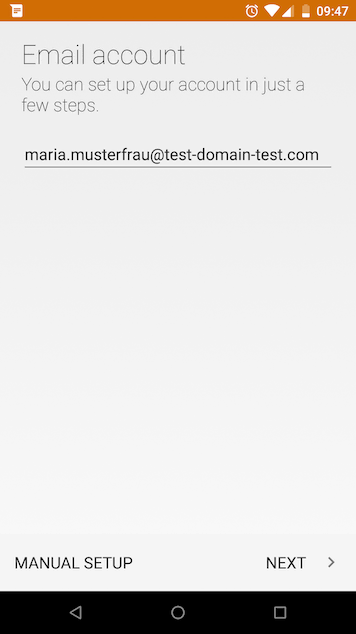
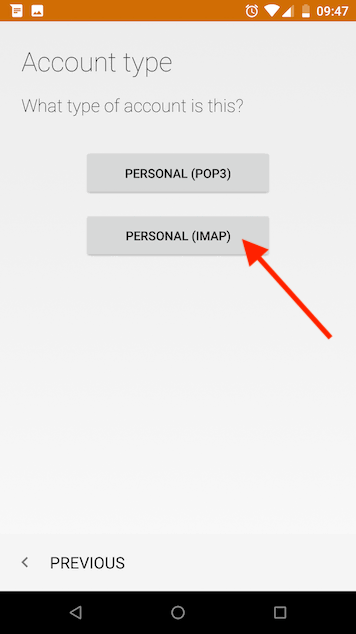
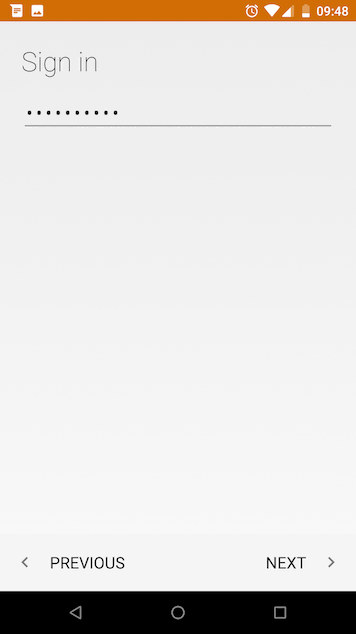
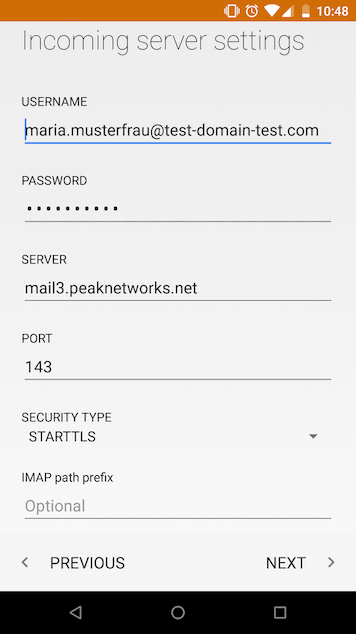
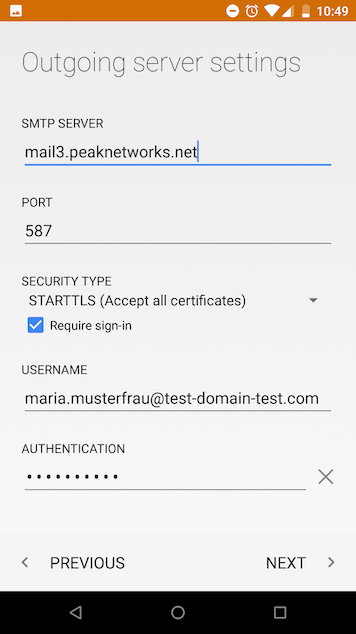
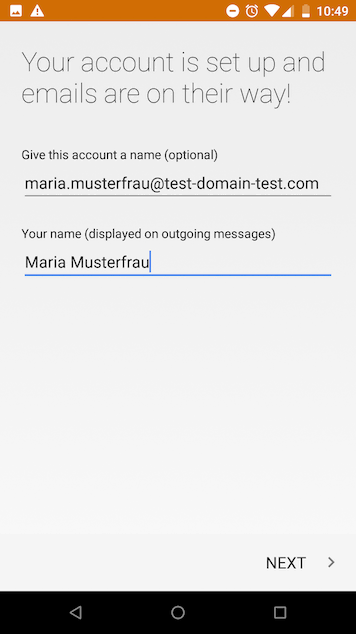
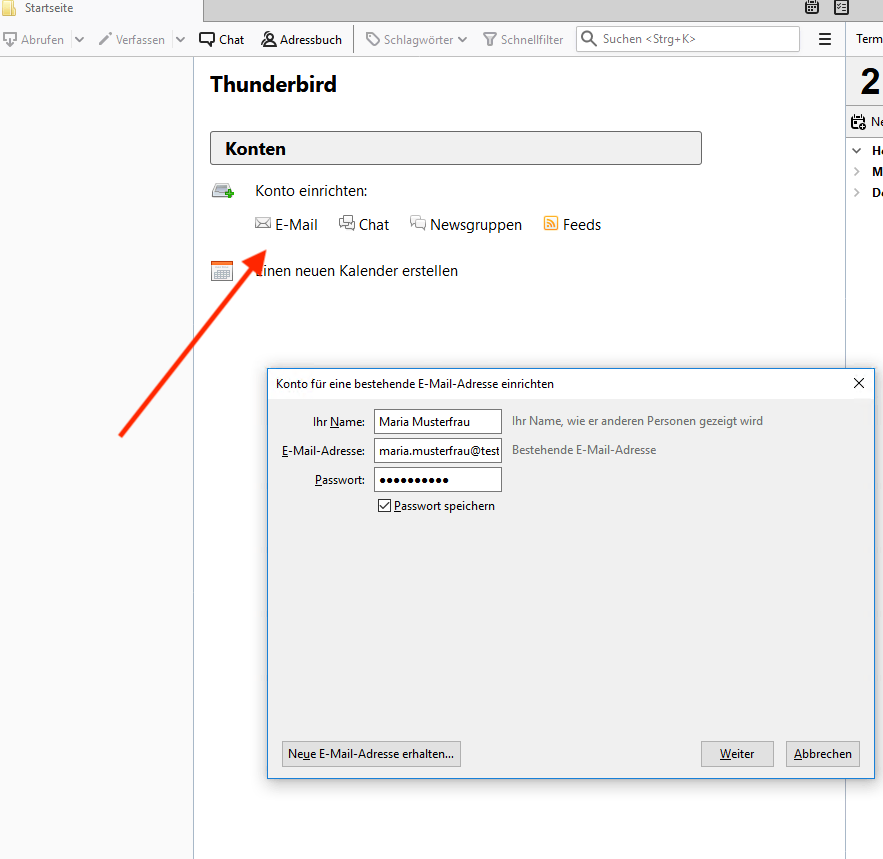
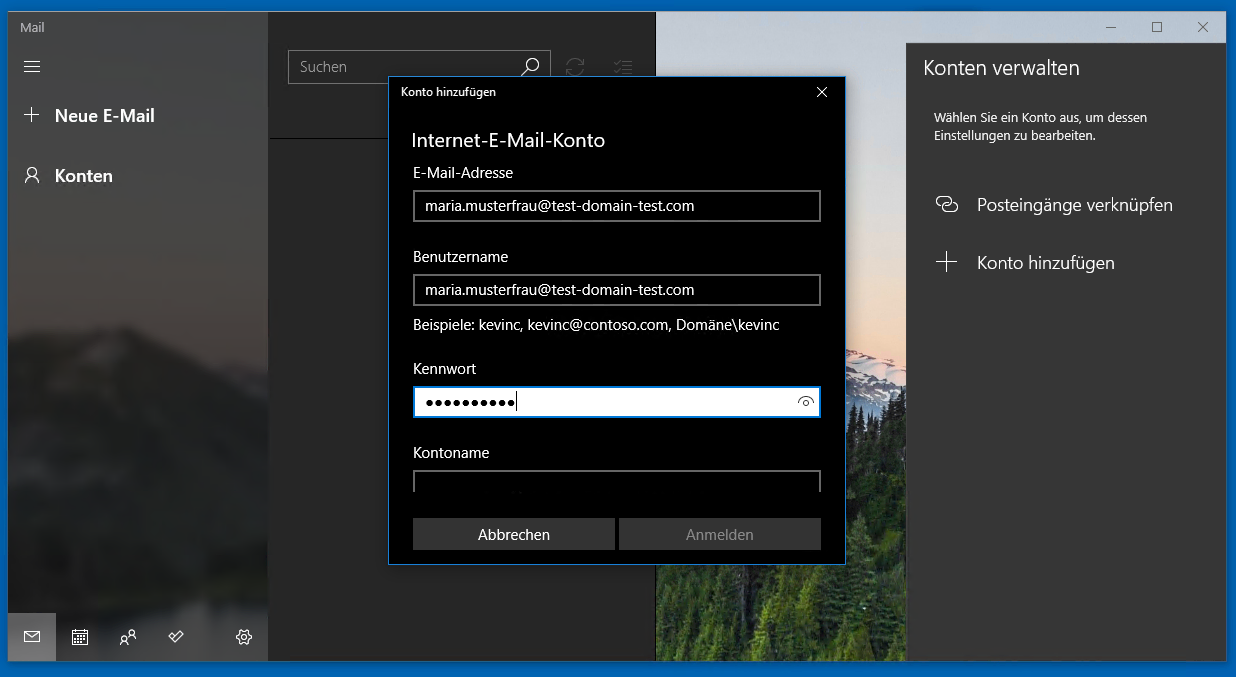
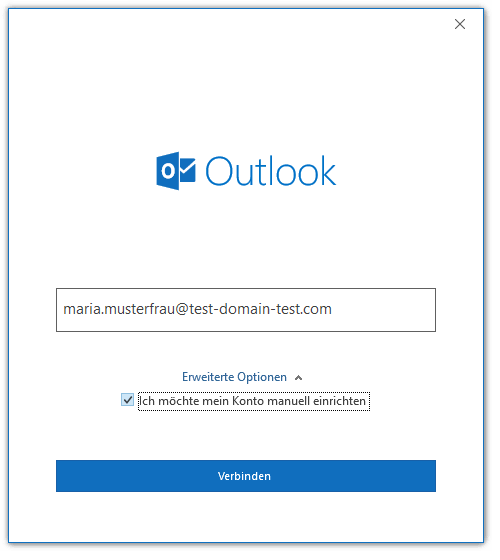
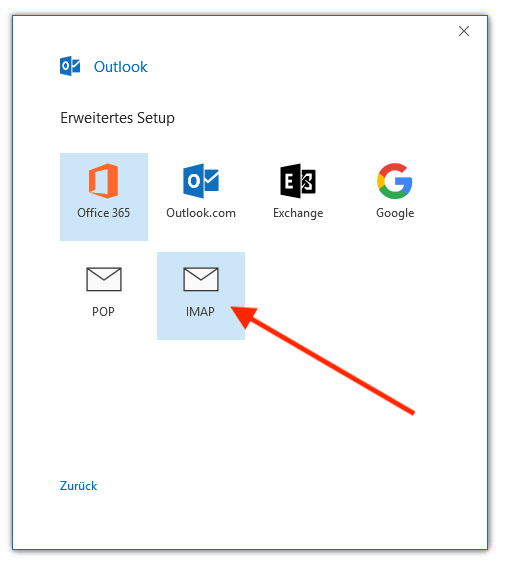
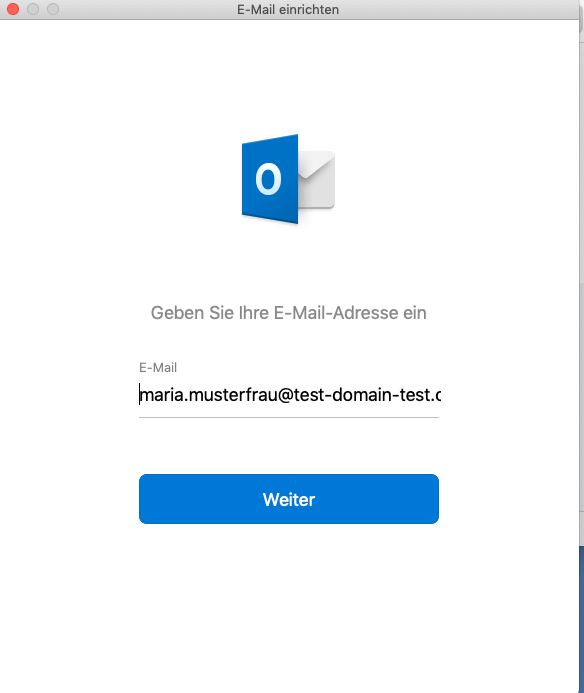
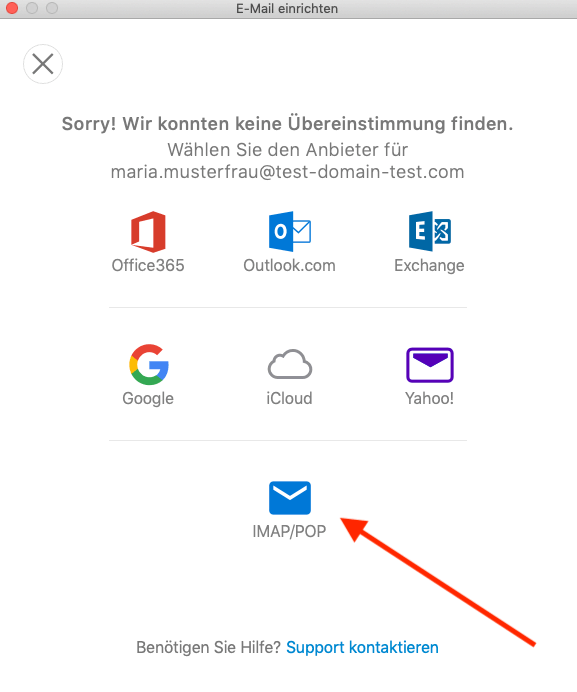
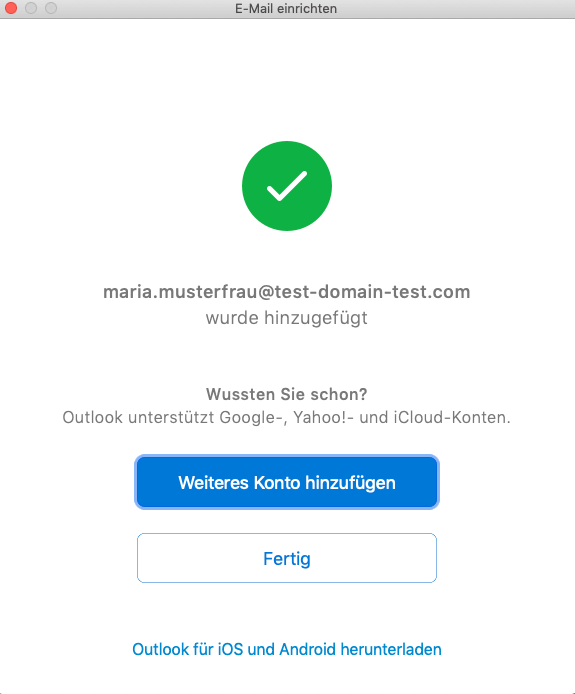
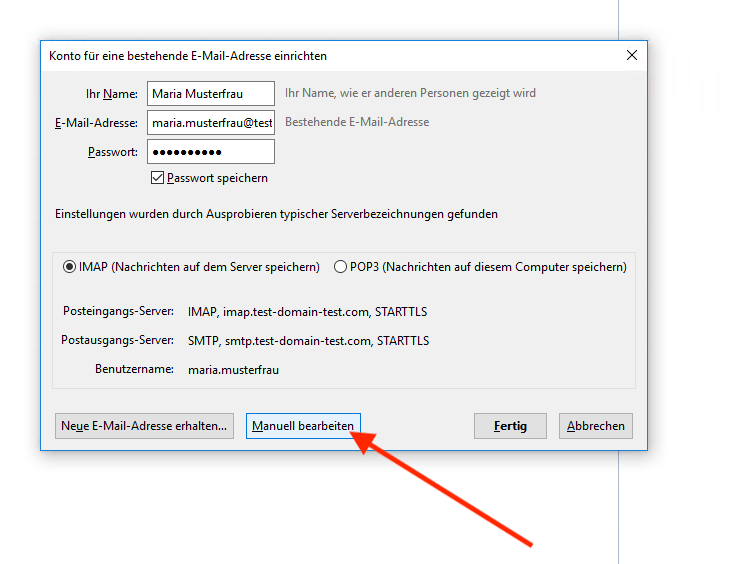
Capture mail account and click on "Edit Manually".
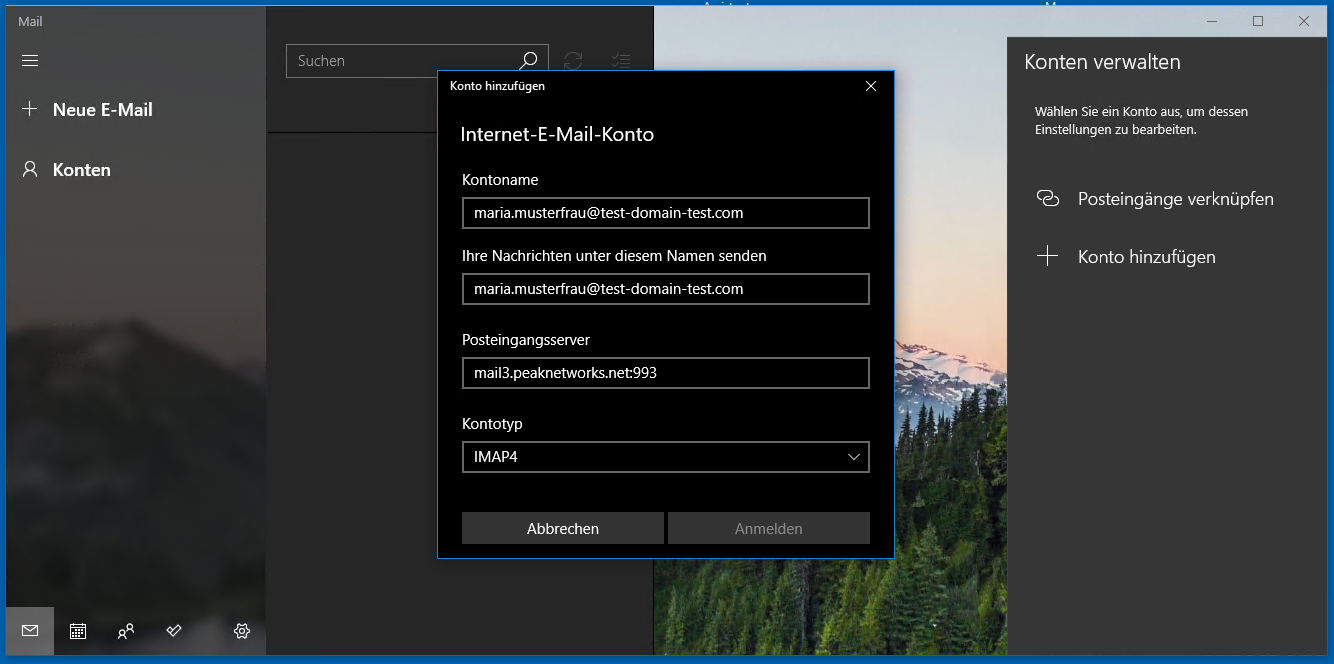
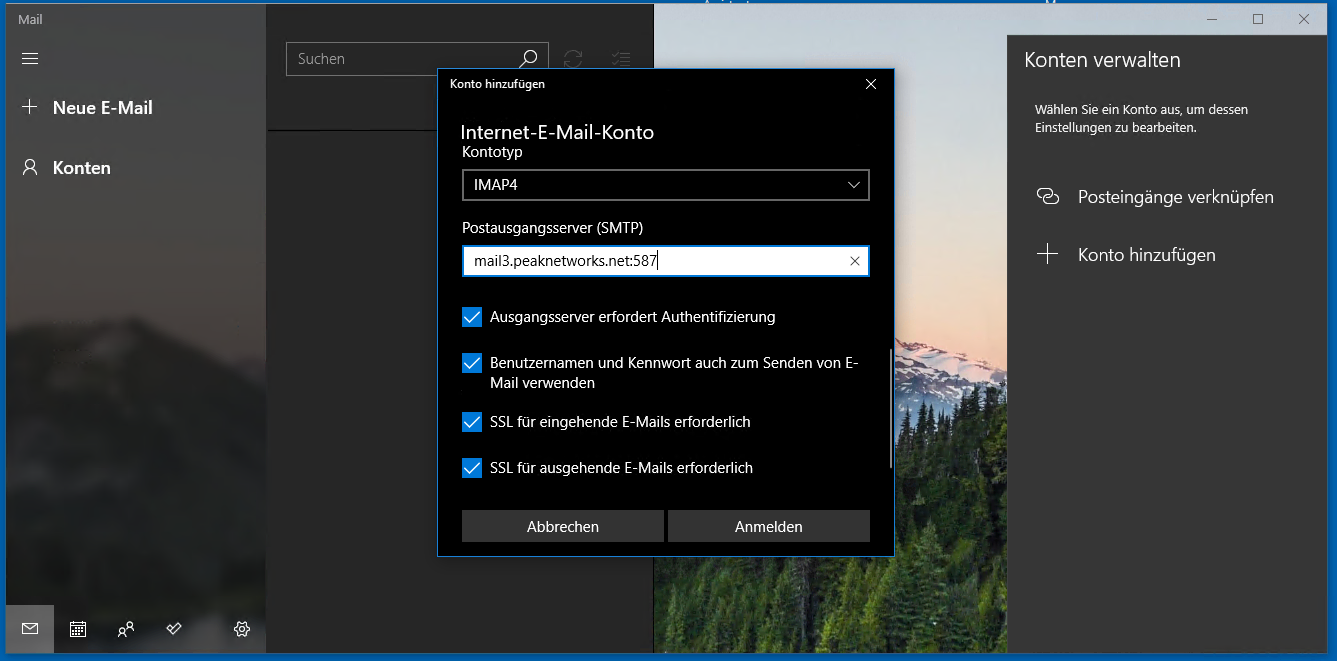
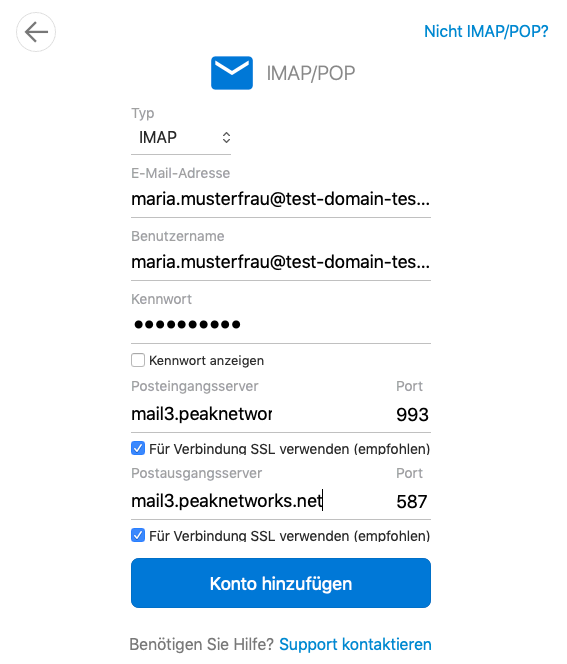
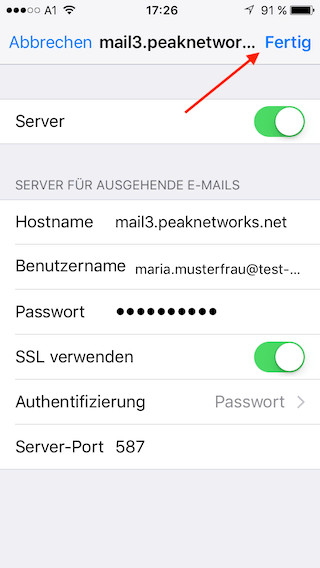
In this dialog, transfer the values from the control panel and then click on "Done".
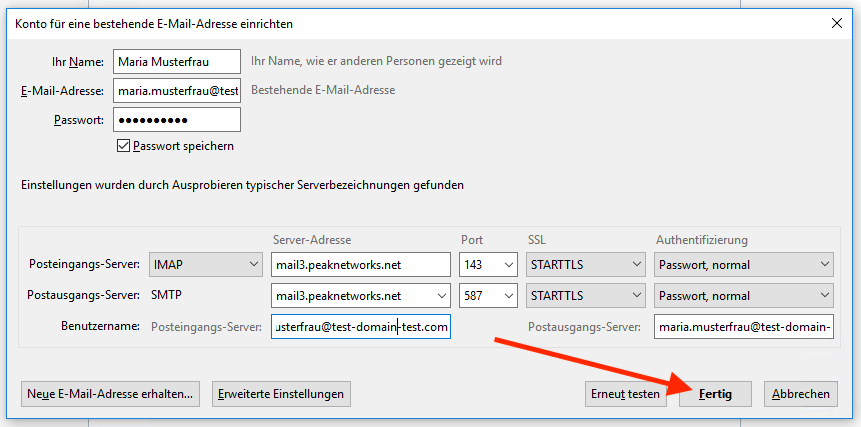
Done!
A special feature of Microsoft Outlook is that with IMAP4 instead of STARTTLS and port 143, SSL/TLS and port 993 must be used, because at least the MAC version of MS Outlook does not support STARTTLS protocol.


Done!
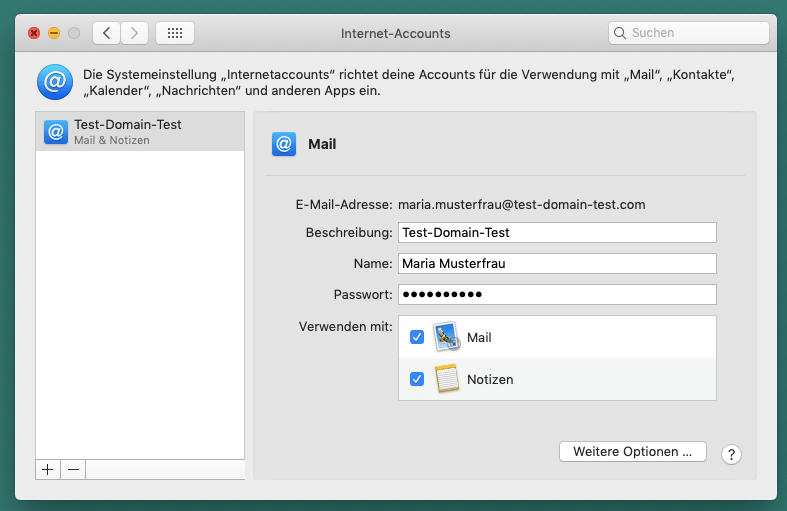
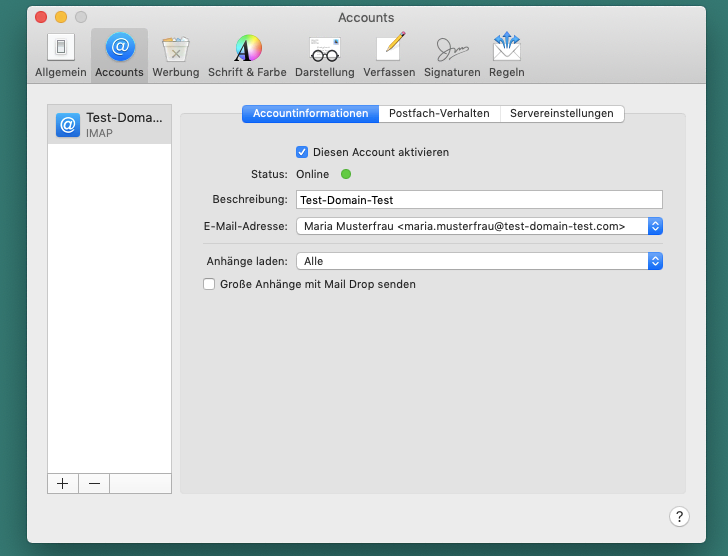
Here again is the overview page for a check:
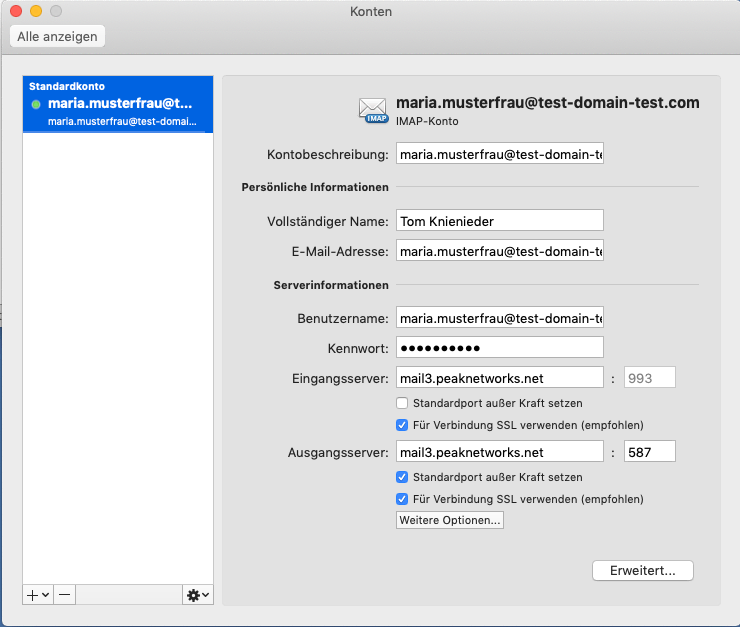


If the above configuration does not work or STARTTLS is not available for selection, you can also use the SSL configuration described below.


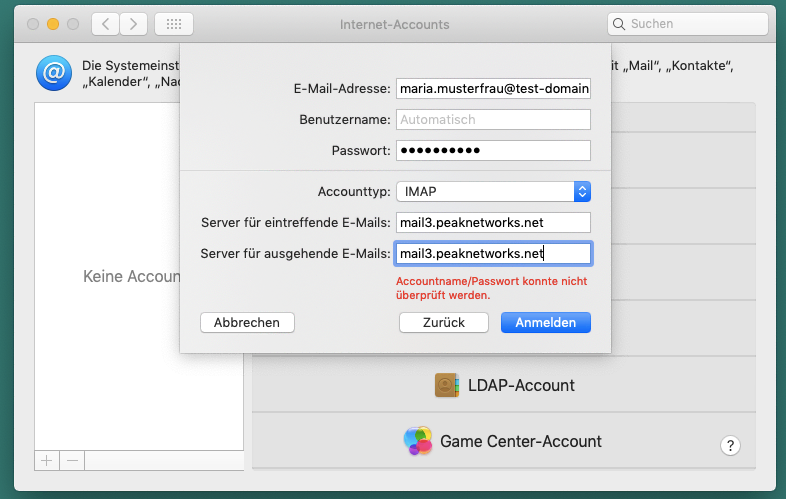
You can find this data in the peaknetworks control panel. Just click on Email in the menu, select your domain and click on the tab: "Email Server Details".