



Your personal email address: Created in a few minutes
Email addresses are an important part of our digital lives these days. We use them to communicate with friends and family, conduct business, and register for services and websites.
We'll show you step-by-step how to create your personal email address and the benefits it offers you. Whether you own a business or just want a private email address, we've got you covered.
When does it make sense to have your own email address?
Having your own email address offers many benefits, such as maintaining a professional appearance or keeping control over your data. A personalized email address can also help reduce spam and unwanted emails, as they are less likely to be marked as spam.
Especially in a professional environment, a personalized email address can help project a professional image. Control over the address also remains with the owner, which means you can decide who should receive which emails.
Personalized email address via your own domain
The first step in creating your new email address is to choose a domain. A domain is the part of an email address that comes after the "@" symbol, e.g. "mycompany.com".
You can register or buy a domain, depending on your needs and the budget you have available. When you buy a domain, you have complete control over who can send emails to that address.
Choose hosting provider
Once you have chosen an email hosting provider, you will need to create email accounts. Depending on your hosting provider, you can create a certain number of email accounts so that everyone in your business or family can have their own email address. Choosing a strong password is the first step to protect your email address from unwanted access.
Customize email addresses
Once you've created your email accounts, it's time to customize your email addresses. You can customize the part of the email address before the "@" symbol to reflect your brand or name. Think about a unique email address that is easy to remember and type, but also professional and meaningful.
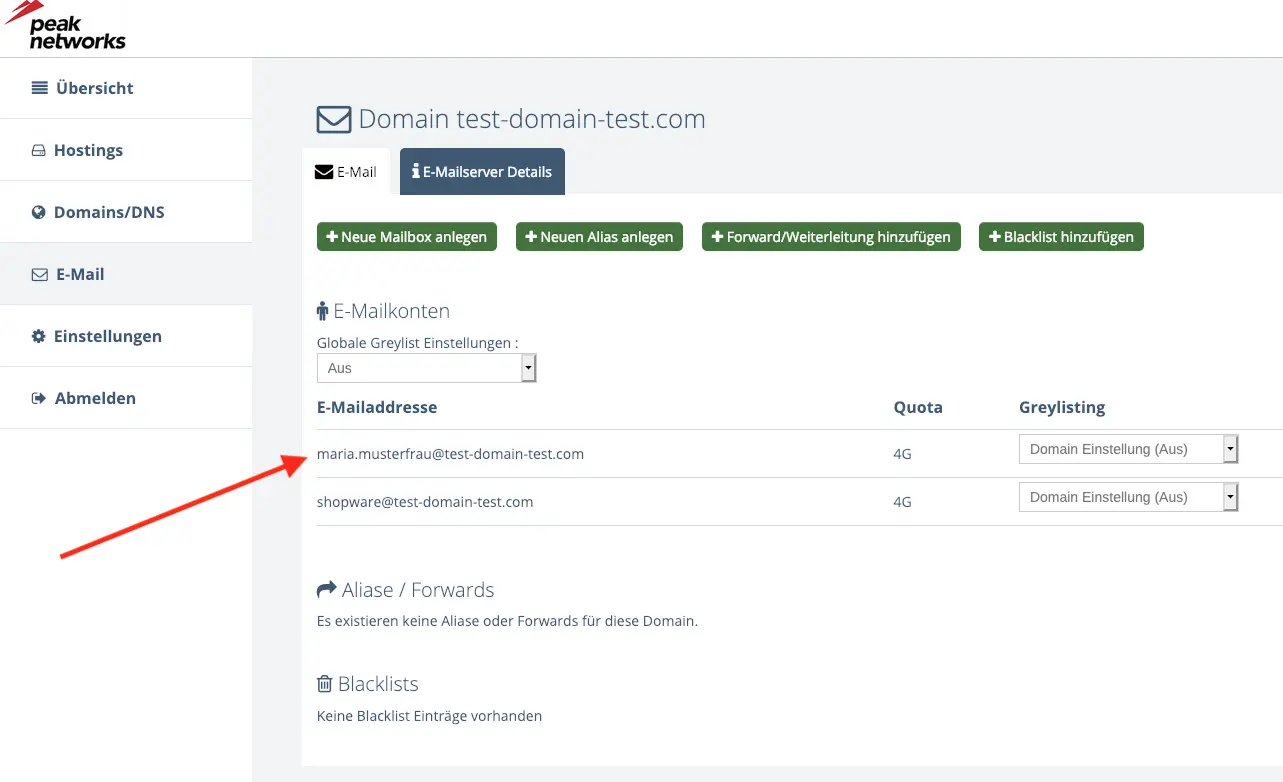
Set up email client
After you have customized your new email address, you need to set up your email client so that you can send and receive emails. Among the most popular free email clients that offer you these services are Microsoft Outlook, Gmail, Thunderbird and Apple Mail. Choose the one that best suits your needs and preferences.
How to use an email client
Whether for business or pleasure, we all use email to stay in touch with others.
But how do you create a new email address using a client?
To create a new email address with an email client (e.g. Outlook), you first need to visit the provider's website. There you will usually find a button or link that directs you to the registration. Follow the instructions and enter all the required information such as name, address, date of birth and gender.
Next, select an email address that is not already in use. Make sure that the address is meaningful and easy to remember. Also, choose a secure password and enter a phone number and an alternate email address to verify your account and be contacted in case of problems.
After successful registration, you can link your new email account directly to the email client. All you need to do is open the settings in the client and enter the login details of your new account. Now you can receive and send your emails.
Conclusion
Having your own email address with your own domain offers many advantages over the services of free email providers like Google's Gmail, Yahoo Mail or 1&1 Mail Basic.
If you attach great importance to a professional and credible appearance, it is better to invest in your own email address and register a suitable domain with the hosting provider of your choice.
Especially if control, expandability and technical flexibility are important to you. This is mostly the case when using the email address in a professional context.
If, on the other hand, you use your email address purely for private purposes and don't have any great demands in terms of image, control and independence, you will get by just fine with a free provider.